Istio 설치 in production 환경
Introduction
test 환경이 아닌 production 환경에 대한 kiali, jaeger 등의 istio eco system 설치를 논한 문서는 생각 외로 찾기 어렵다. 기준이 되는 istio 공식 문서는 친절한 편이 아니라, istio package 간의 연결 구조 및 설치 세부 항목에 대해 잘 알지 않으면 해당 문서만으로는 쉽지 않다.
여기서는 일단 istio 자체 설치에 대해 공식 문서를 기반으로 논하고, 이후 kiali, jaeger, prometheus, grafana 설치에 대해 논한다.
Summary
- 3가지 설치 방법 중 Helm chart로 설치한다.
- (정신 건강을 위해) namespace는 default인
istio-system으로 한다. - 설치 대상인 discovery chart에 앞서 base chart를 설치한다.
values.yaml에 jaeger collector 주소를 정확히 설정한다. 되도록이면traceSampling도 함께.
Istio component 목록 및 설치 대상 component 선택
다음은 istio가 제공하는 전체 component 목록 및 component 별 선정 여부 및 근거.
istiod- 설명: istio control plane을 구성하는 the component. pod에 설치되는 sidecar와 함께 istio의 핵심 컴포넌트.
- 선택 여부 고려사항: 본 component는 istio 그 자체로 볼 수 있기에 필수 설치
istio-ingressgateway- 설명: API gateway와 동일한 역할로 cluster 내부로 들어오는 모든 traffic에 대한 gateway.
- 선택 여부 고려사항: 별도 API Gateway가 있으면 불필요. 없을 경우, internet facing service에 대해서도 Request Routing 등의 istio의 대표적인 기능이 필요할 경우 설치
istio-egressgateway- 설명 :
istio-ingressgateway의 반대로서, cluster 외부로의 모든 outbound taffic에 대한 gateway - 선택여부 고려사항: outbound traffic management에 대한 별도 요구가 있을 경우.
- 설명 :
설치 방법 목록 및 방법 선정
설치 방법 선정 기준은 설정 가시성을 최대화하면서 최대한 일반적 k8s 설치 방법을 따르는 것이다.
아래는 공식 문서에서 논하는 3가지 설치 방법으로, 아래 논의 결과에 따라 helm 을 이용한 설치를 사용한다.
istioctl- 공식 문서에서 가장 먼저 소개하는 방법으로,
istioctl은 운영 시 결국은 사용하게 되지만, 환경 별 variation에 대한 설정 가시성이 좋지 않다(특히, 상당부분을 차지하는ConfigMap의 문자열로 관리되는 각종 설정. 이로 인해Kustomize로도 환경 별 variation을 추출할 수 없다. e.g.PILOT_TRACE_SAMPLING). - Reference : https://istio.io/latest/docs/setup/install/istioctl/
- 공식 문서에서 가장 먼저 소개하는 방법으로,
helm- 설치 방법의 일반성의 장점 뿐 아니라
istioctl에 대비 설정에 대한 가시성이 뛰어나다(앞서 예를 든PILOT_TRACE_SAMPLING경우pilot.traceSampling항목으로 수정 가능) - Reference
- 설치 방법의 일반성의 장점 뿐 아니라
istio Operator install-
k8s custom resource를 사용하여 application을 관리하는 방법으로, istio의
IstioOperator란 resource를 사용하여 설치하는 방법이나, istio 공식 사이트에서는 추천하지 않는다(신규 기능에 대해 우선 순위에서 앞선 방법 대비 밀린다고)
-
Reference
-
설치 절차 overview
k8s cluster에 istio를 설치하는 절차는 다음과 같다(근거 : https://istio.io/latest/docs/setup/install/helm/)
istiohelm repo 추가/업데이트istio-systemnamespace 생성istiobase chart 설치- 환경 별 helm
values.yaml생성/설치
설치 절차
1. istio helm repo 추가/업데이트
$ helm repo add istio https://istio-release.storage.googleapis.com/charts
$ helm repo update
2. istio-system namespace 생성
💡
kiali,jaeger등의istio의존 package 대부분의 default 설치 설정이istio-systemnamespace를 사용하므로 이외의 namespace를 사용하면 default 설정을 따르기 어려움.
$ kubectl create namespace istio-system
3. istio base chart 설치
istio의 각종 CRD(Custom Resource Definition)s 설치 과정이다. Helm을 통한 설치에서도 어쨌건 CRD를 사용한다.
$ helm install istio-base istio/base -n istio-system --set defaultRevision=default
4. 환경 별 helm values.yaml 생성
- default
values.yaml: https://github.com/istio/istio/blob/master/manifests/charts/istio-control/istio-discovery/values.yaml
values.yaml fields 수정 고려 사항
pilot:
  traceSampling: 100 # sampling percentage for tracing.
  resources:
    requests:
      cpu: 500m
      memory: 2048Mi

global:
  istioNamespace: istio-system

  proxy:
    resources:
      requests:
        cpu: 250m
        memory: 64Mi
      limits:
        cpu: 250m
        memory: 64Mi

meshConfig:
  defaultConfig:
	  holdApplicationUntilProxyStarts: true
    tracing:
      zipkin:
        address: jaeger-collector.istio-system.svc:9411 # jaeger collector address
-
jaeger collector address :
jaeger연동을 위한 설정임. 환경에 따라jaeger주소가 달라질 수 있어 본 항목은 명시적으로 지정해주어야 한다. 참고로 defaultvalues.yaml에는 본 항목이 없어 찾기 어렵다.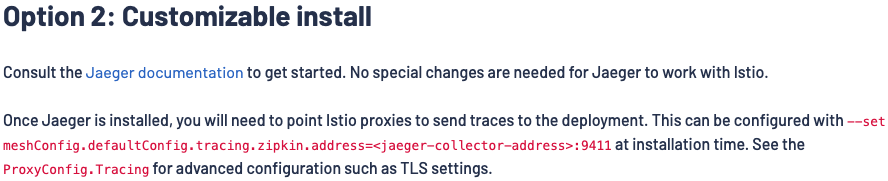
이미지 출처 : https://istio.io/latest/docs/ops/integrations/jaeger/
-
holdApplicationUntilProxyStarts: istio sidecar initiation 완료 전에 app container가 network을 사용함으로 인한 오류 제거용. sidecar container ready 상태에 도달할 때까지 app container의 시작을 막음(참조). -
Trace sampling rate : 추적할 traffic의 비율을 설정. ST, QA에서는 크게, OP에서는 작게. 등에서는 SAMPLING 비율을 100% 등으로, OP에서는 default 의 1% 등 작게 설정할 필요 있음.
-
istiodresource setting : 환경에 따라 적절한 설정 필요 -
sidecarresource setting :istiodresource setting과 동일
아래는 Istio 측 부하테스트 결과로서 이를 따르자면 다음 설정을 고려할 필요 있음.
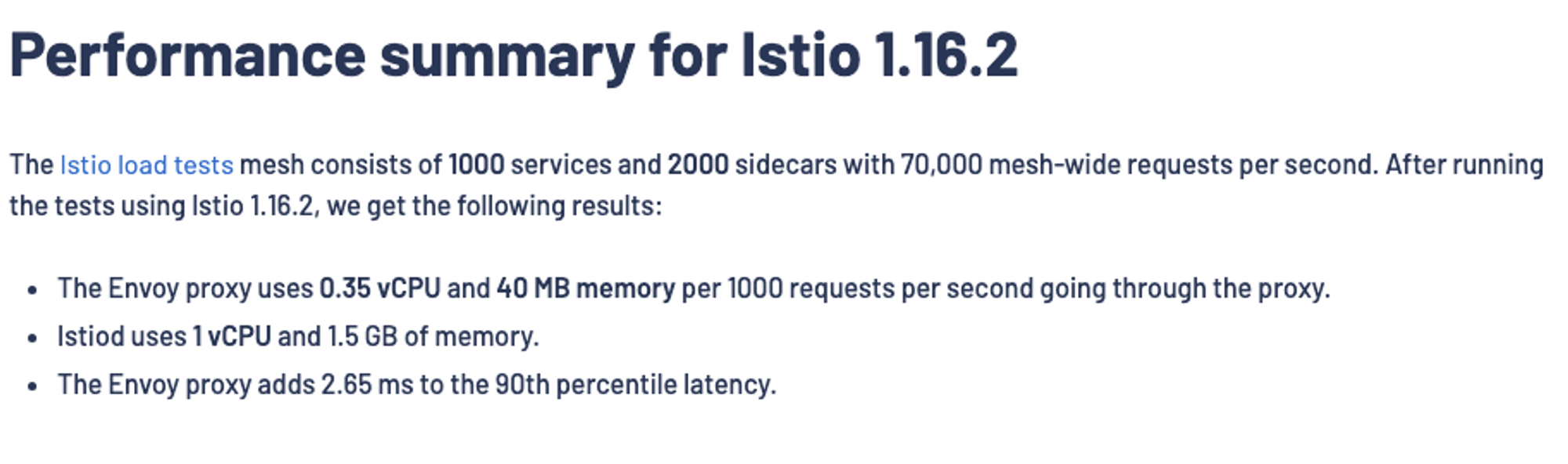
이미지 출처 : https://istio.io/v1.16/docs/ops/deployment/performance-and-scalability/
Appendix #1. argoCD 기반 helm chart 설치
1. argoCD application 생성
argoCD는 multiple source를 지원함으로, helm chart는 외부의 공식 chart와 values.yaml 의 repo를 분리하여 이들 모두를 사용 가능함.
-
concept diagram
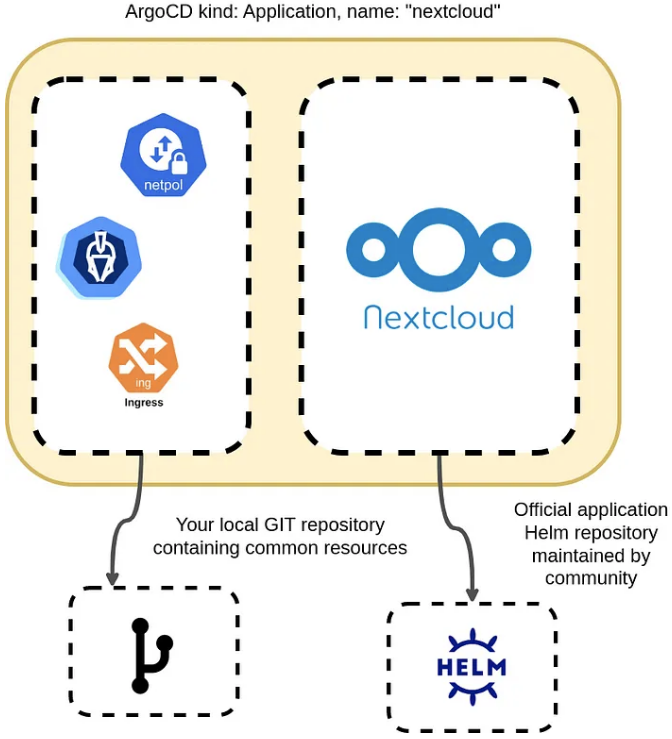
다음은 kic-st 환경에 해당하는 argoCD application manifest 중 일부로서, 공식 chart repo와 values.yaml repo를 모두 지정하고 있음.
sources이외에source를 중복해서 지정하고 있는데,source를 지정하지 않으면 argoCD UI에서 저장이 불가함.
$values는 참조하는 repo의 root directory를 의미함
apiVersion: argoproj.io/v1alpha1
kind: Application
metadata:
  name: prod-istio
spec:
	project: cluster
	source:
	  repoURL: 'https://istio-release.storage.googleapis.com/charts'
	  targetRevision: 1.19.0
	  chart: istiod
	destination:
	  namespace: cluster
	  name: prod-cluster
	sources:
	  - repoURL: 'https://istio-release.storage.googleapis.com/charts'
	    targetRevision: 1.19.0
	    chart: istiod
	    helm:
	      valueFiles:
	        - $values/istio/prod.values.yaml
	  - repoURL: 'http://my-system.git.repository/helm-charts.git'
	    targetRevision: main
	    ref: values
2. istio 정상 설치 확인
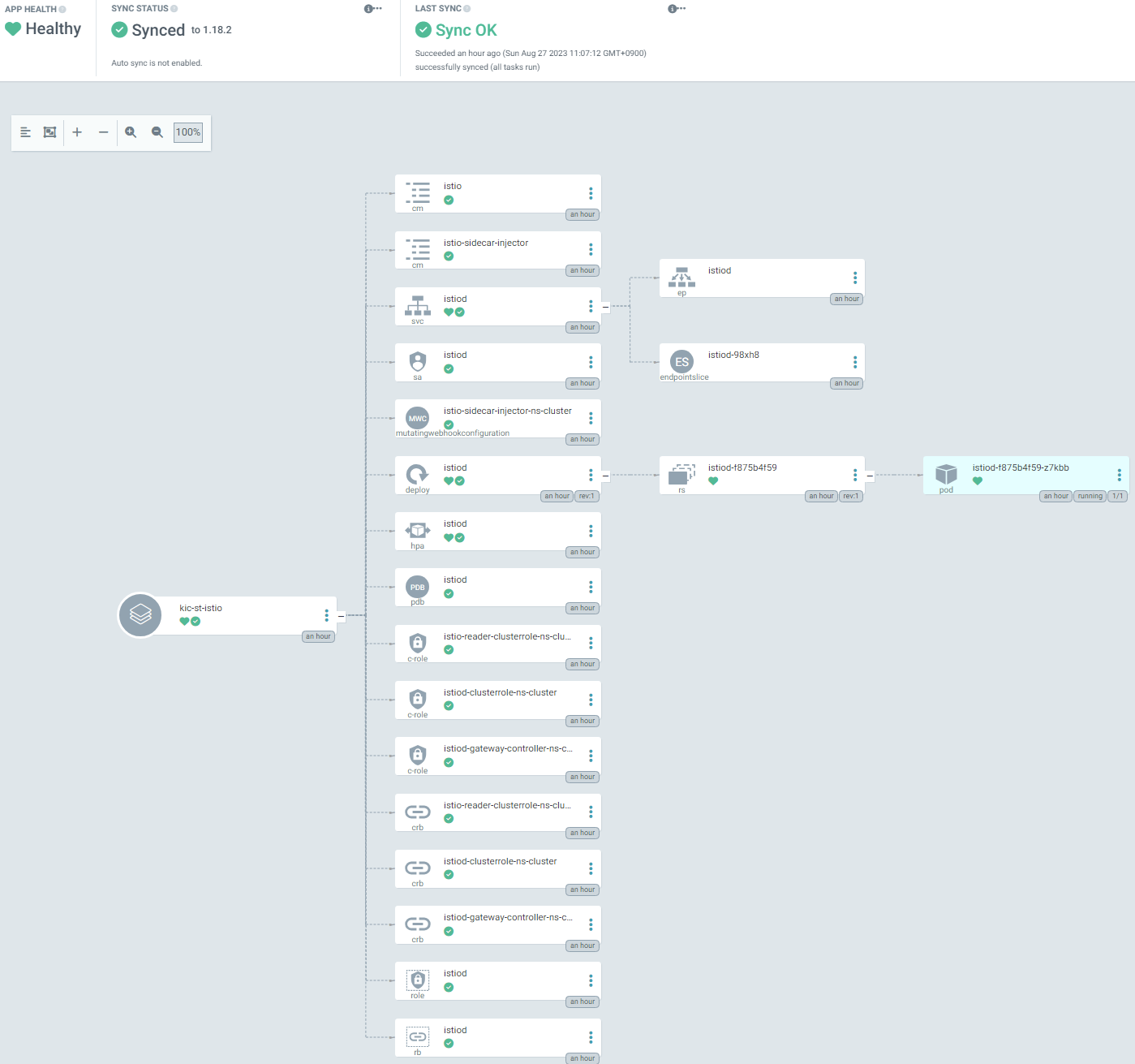
상기 과정을 통해 argoCD application이 정상 생성되면 하기와 같은 화면을 확인 가능함.